


Digital literacy in practice: how to teach and assess it in every classroom
How to teach digital literacy inside core subjects: project routines, rubrics, portfolios, teacher PD, and the explain-your-work assessment.
Updated with current data and sources. Originally published July 3, 2025.
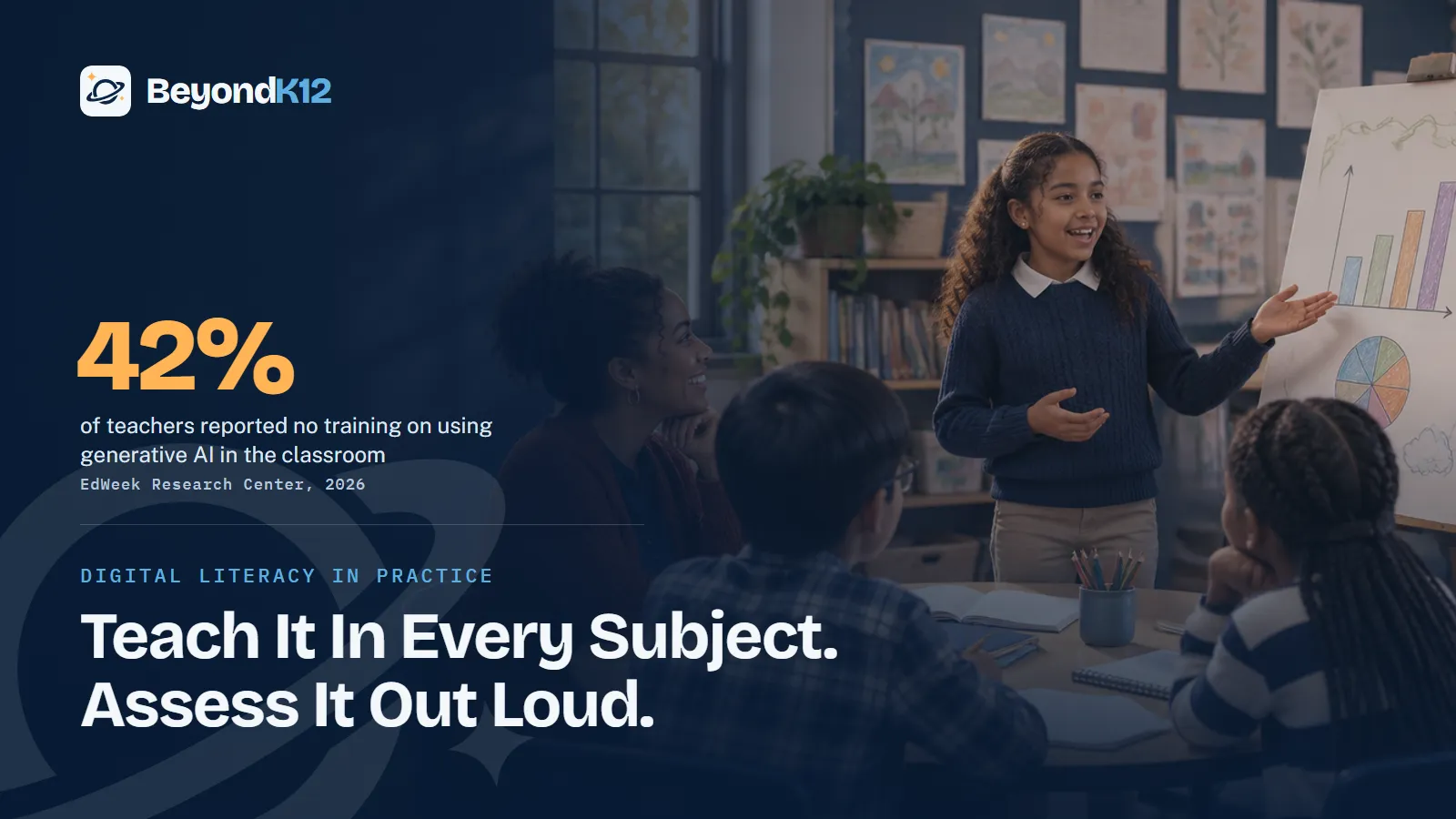
Teach digital literacy the way you teach writing: a little in every subject, every week, with work the student can show and explain. A school does not need a new app or a separate class to start. It needs one project routine in every classroom, one shared rubric, a portfolio for the work, and a closing step where the student explains it out loud.
This post is the how. The companion post, Digital literacy in education: the skills students need now, covers the what and the evidence on where students stand. Here we assume you have agreed on the skills and want them taught and assessed by June.
- Embedded digital literacy
- Teaching the skills of finding, judging, creating, and explaining with digital tools inside the subjects students already take, using the subjects' own content, rather than in a separate technology class alone.
Why a standalone unit is not enough
Most students are not getting much of this at all. The News Literacy Project's 2024 survey of 1,110 teens found that only 39% had any media literacy instruction in at least one class during the 2023-24 school year. The same teens want it: 94% said schools should be required to teach media literacy, and 57% said "definitely."
A one-time unit in one class is a reasonable introduction and a poor way to build a habit. A student who checks sources in October's library lesson and never again until May has learned a fact about checking sources, not the skill. Meanwhile the tools keep moving: Pew Research Center found in 2026 that 64% of teens use AI chatbots and 54% have used them for schoolwork.
39%
of teens had any media literacy instruction in at least one class in 2023-24.
News Literacy Project, 2024
94%
of teens say schools should be required to teach media literacy.
News Literacy Project, 2024
39%
of teens who used generative AI for schoolwork have found inaccuracies in the output.
Common Sense Media, 2025
2.5
points of growth on a 14-point source-evaluation scale for students given Stanford's lessons, against just over 0.5 for peers.
Education Week, 2020
The last number is the one to build on. In the Stanford History Education Group's study of about 460 high school juniors and seniors, teachers added six Civic Online Reasoning lessons to existing civics and government classes, Education Week reported. No new course was needed. The study appeared in the Journal of Educational Psychology, though the researchers evaluated their own curriculum and it covers older students. We read it as support for embedding: the skill gets practiced on content students are already studying.
How to embed digital literacy in core subjects
Every subject already has a place where a digital literacy skill belongs. The job is to name it, make it routine, and ask for the explanation at the end. Here is a map a TK-8 school can adopt in one faculty meeting.
| Subject | The weekly routine | What the student explains |
|---|---|---|
| English language arts | Lateral reading on one source per unit; a disclosed AI draft that the student revises and corrects | Who is behind the source, what the AI got wrong, what they changed and why |
| Math | One chart built from data the students collected; a hunt for a misleading graph in the news | What the chart shows, what it hides, how the axis choice changes the story |
| Science | Evaluate a claim found online against the textbook and a second source; log the result | Which source they trusted more and the evidence for that choice |
| Social studies | Compare a press release, a news report and an opinion piece on the same event | How they told the three apart and which one a historian would cite |
| Arts and electives | Create a digital artifact for a real audience; credit every image, sound and tool used | The choices they made, the tools that helped, and what they would redo |
| Advisory or religion | Privacy audit of their own accounts; a phishing drill; a conversation about how to treat people online | What they changed in their settings and why the drill message was suspicious |
Two of those routines come straight from the evidence. The press release versus news story comparison targets the exact weakness the News Literacy Project measured. The disclosed AI draft targets the 39% of teens Common Sense Media found had already caught a chatbot in an error: they have the experience, and the routine turns it into a method.
Project routines, rubrics, and portfolios
A routine only becomes a skill when it is scored the same way everywhere. One rubric for the whole school, four rows, used by every teacher on every digital project, gives students and staff a shared standard.
The four-row rubric
- Sources. Did the student find out who is behind each source and say why it is or is not trustworthy?
- Tools and craft. Does the artifact do its job for its audience, and did the student use the tool well enough that the tool did not get in the way?
- Disclosure. Did the student say plainly where AI or another person helped, and check that help against a second source?
- Explanation. Can the student explain the work, the choices, and the next improvement without the tool in front of them?
The portfolio
Three to five scored projects per year, kept in one folder per student that moves with them from grade to grade. The portfolio is where growth becomes visible: the second grader's first chart next to the fifth grader's survey analysis. It is also the most honest answer a school can give a parent or a board member who asks what digital literacy instruction produced this year. Scores say the student met a standard. The portfolio shows what they made.
The project routine
Every digital project follows the same five beats so students stop asking what the teacher wants and start asking what the audience needs: define the audience, gather and check sources, make the thing, disclose the help, explain the work. Posted in every room, the routine does the scaffolding so the teacher can coach.
The explain-your-work assessment
The fourth rubric row carries the most weight, and it is the one we built our own curriculum around. At the end of every project in TechPlus AI, the student explains what they made, why they made those choices, which tools or AI helped, and what they would improve. Two minutes, out loud to a teacher or a peer, or on a short video that goes in the portfolio.
It works for a plain reason. A chatbot can write the essay, build the slide deck, and even draft the reflection. It cannot stand in the room and answer the follow-up question. Pew found that 59% of teens say students at their school use AI to cheat at least somewhat often. The explanation does not try to catch them. It makes the shortcut less useful, because the grade depends on what the student can say about the work, not on the work alone.
If a student cannot explain the work without the tool, the tool did the learning.Ernie Delgado, BeyondK12
It is also faster than it sounds. Two minutes per student is about one class period per project, and it spares the teacher from guessing whether a paragraph sounds like a twelve-year-old. It also gives the teacher what a rubric score cannot: the student's own account of how they think.
Teacher readiness and professional development
None of this happens if teachers are expected to teach a skill set they were never taught. The numbers are improving but they are still the constraint. The EdWeek Research Center's fall 2025 survey of 693 educators found that 50% of teachers had received at least one professional development session on using AI in their work, up from 42% a year earlier and 13% in 2023.
Teachers with at least one AI training session
A newer EdWeek Research Center survey from winter 2026 put the share with no training on using generative AI in the classroom at 42%, Education Week reported, with 22% reporting multiple sessions and 9% reporting ongoing training. The trend is good. The depth is still thin.
Use is running ahead of training. EdWeek's January 2026 analysis found 61% of teachers used AI in their work in 2025, nearly double the 34% of 2023, while 21% say they have never used it and do not plan to. Gallup found in 2025 that six in ten teachers used an AI tool in the 2024-25 school year and that weekly users estimate saving 5.9 hours a week. Gallup's 2026 follow-up found that only 18% of teachers had received formal guidance from administrators on how AI should be used; 34% had none and 48% had only informal guidance.
The gap is not evenly distributed. RAND's survey of district leaders found that by fall 2024, 67% of low-poverty districts had trained teachers on AI, compared with 39% of high-poverty districts. RAND surveyed public districts, so a private or Catholic school should check its own staff and not assume it sits anywhere on this chart.
Districts that had trained teachers on AI by fall 2024
How to roll it out in one semester
- Agree on the skills map. One page: which of the five skills each grade band owns, in plain language. Use the companion post's table as a starting draft and let the faculty edit it. Thirty minutes of a staff meeting.
- Adopt one routine and one rubric. The five-beat project routine and the four-row rubric, posted in every room and used on every digital project from week one. Resist the urge to customize by department until a full cycle has run.
- Open the portfolios. One folder per student in whatever system you already use. The first entry is whatever digital project is already scheduled. Do not wait for a perfect platform.
- Run the two training sessions. Teachers as users first, then teachers as coaches of the routine. Schedule the observation of one project cycle before the semester ends so feedback is real, not theoretical.
- Hold the explanations. Every project ends with the two-minute explanation, scored on the rubric. Record a handful on video for the portfolio and for the board.
- Review and tell the story. At semester's end, pull three portfolios from each grade band and look at the growth. Share two with families and one with the board. That is your evidence, and it is also your case for next year's funding.
Where to start this week
Ask three teachers in different subjects to show you the next digital project on their calendar. Add the explanation to the end of each one and score it with the four-row rubric. You will have a pilot running by Friday and real student work to discuss at the next faculty meeting, which is worth more than a semester of planning.
If you want to see how your curriculum and your teachers' readiness compare with your policy and guardrails, the free AI Readiness Assessment takes five minutes and scores you across Policy, People, Curriculum, Guardrails, and Funding, with the three fixes that matter most. The report is yours whether or not you ever call us.
Related reading: Digital literacy in education: the skills students need now and Professional development for educators in the era of human and AI collaboration: what works in 2025-2026.
Questions school leaders ask
Should digital literacy be its own class or embedded in subjects?
Both, but the embedding does the work. A standalone class introduces the skills; the subjects give students reasons to use them every week. If you can only do one, embed: a source check in social studies, a data chart in math, a disclosed AI draft in ELA. When teachers added six Stanford source-evaluation lessons to existing high school civics classes, students grew about 2.5 points on a 14-point scale, against just over half a point for the comparison group, Education Week reported.
How do you assess digital literacy without a standardized test?
With a short rubric and a portfolio. The rubric scores four things on every project: source quality, tool use, honest AI disclosure, and the quality of the student's explanation. The portfolio keeps three to five projects a year so growth is visible across grades. The explanation, two minutes out loud or on video, is the piece that cannot be outsourced to a chatbot.
What is the explain-your-work assessment?
At the end of a project the student tells a teacher or a peer what they made, why they made those choices, which digital tools or AI helped, and what they would improve. It takes two minutes per student and it checks understanding, process and honesty at once. Every project in our TechPlus AI curriculum ends this way.
How ready are teachers to teach this?
Less ready than the students. In a winter 2026 EdWeek Research Center survey, 42% of teachers reported no training on using generative AI in the classroom, and only 9% reported ongoing training. Gallup found in 2026 that only 18% of teachers have formal guidance from administrators on how AI should be used. Teacher training is the first budget line, not the last.
How long does it take to put this in place?
One semester for a visible start: a skills map, one shared project routine, one rubric, portfolios opened, and two staff sessions. Pick one routine and run it before you plan the rest.
Sources
- EdWeek Research Center, Teacher AI training is rising fast but still has a long way to go (November 2025) (opens in a new tab) (checked 2026-11-05)
- EdWeek Research Center, More teachers are using AI in their classrooms (January 2026) (opens in a new tab) (checked 2026-11-05)
- RAND, More districts are training teachers on artificial intelligence (April 2025) (opens in a new tab) (checked 2026-11-05)
- Gallup and Walton Family Foundation, Most teachers receive no formal guidance on AI use (May 2026) (opens in a new tab) (checked 2026-11-05)
- Gallup and Walton Family Foundation, Three in 10 teachers use AI weekly, saving six weeks a year (June 2025) (opens in a new tab) (checked 2026-11-05)
- News Literacy Project, News Literacy in America: key findings (October 2024) (opens in a new tab) (checked 2026-11-05)
- Pew Research Center, How teens use and view AI (February 2026) (opens in a new tab) (checked 2026-11-05)
- Common Sense Media, Teens, Trust, and Technology in the Age of AI, press release (January 2025) (opens in a new tab) (checked 2026-11-05)
- Education Week, Curriculum can help students better evaluate online information (January 2020) (opens in a new tab) (checked 2026-11-05)
- Digital Inquiry Group, Civic Online Reasoning curriculum evaluation (December 2019) (opens in a new tab) (checked 2026-11-05)
- Education Week, More schools are providing AI training for teachers. Is it any good? (May 2026) (opens in a new tab) (checked 2026-11-05)

See where your school stands on AI, in five minutes
Eight questions. A score out of 24 across Policy, People, Curriculum, Guardrails, and Funding, with the three fixes that move it most. The report is yours whether or not you ever call us.